How to Use Dynamic Reconfigure for Tuning
0. Before We Start — Nodes and Parameters
Two terms to cover before we tune in earnest.
- Node: one running chunk of a program. For example, the
speed_sector_tunerwe will adjust later is a node. - Parameter: a setting the node holds — values like “how far ahead to look while driving” or “the joystick’s top speed.”
- Dynamic Reconfigure: a tool that changes these parameters in real time while driving, without stopping or restarting the car. The moment you change a value it takes effect, so you can iterate quickly: “drive a lap → tweak a value → drive again.”
The point: tuning = changing a node’s parameters; Dynamic Reconfigure = the window that lets you do it live.
1. Starting the Simulator and RQT
Enter the unicorn environment and start the simulator and RQT in separate terminals.
1
2
3
# terminal 1 — simulator
unicorn
ros2 launch stack_master race.launch.xml sim:=true map:=f
1
2
3
# terminal 2 — rqt (must be the same unicorn environment)
unicorn
rqt
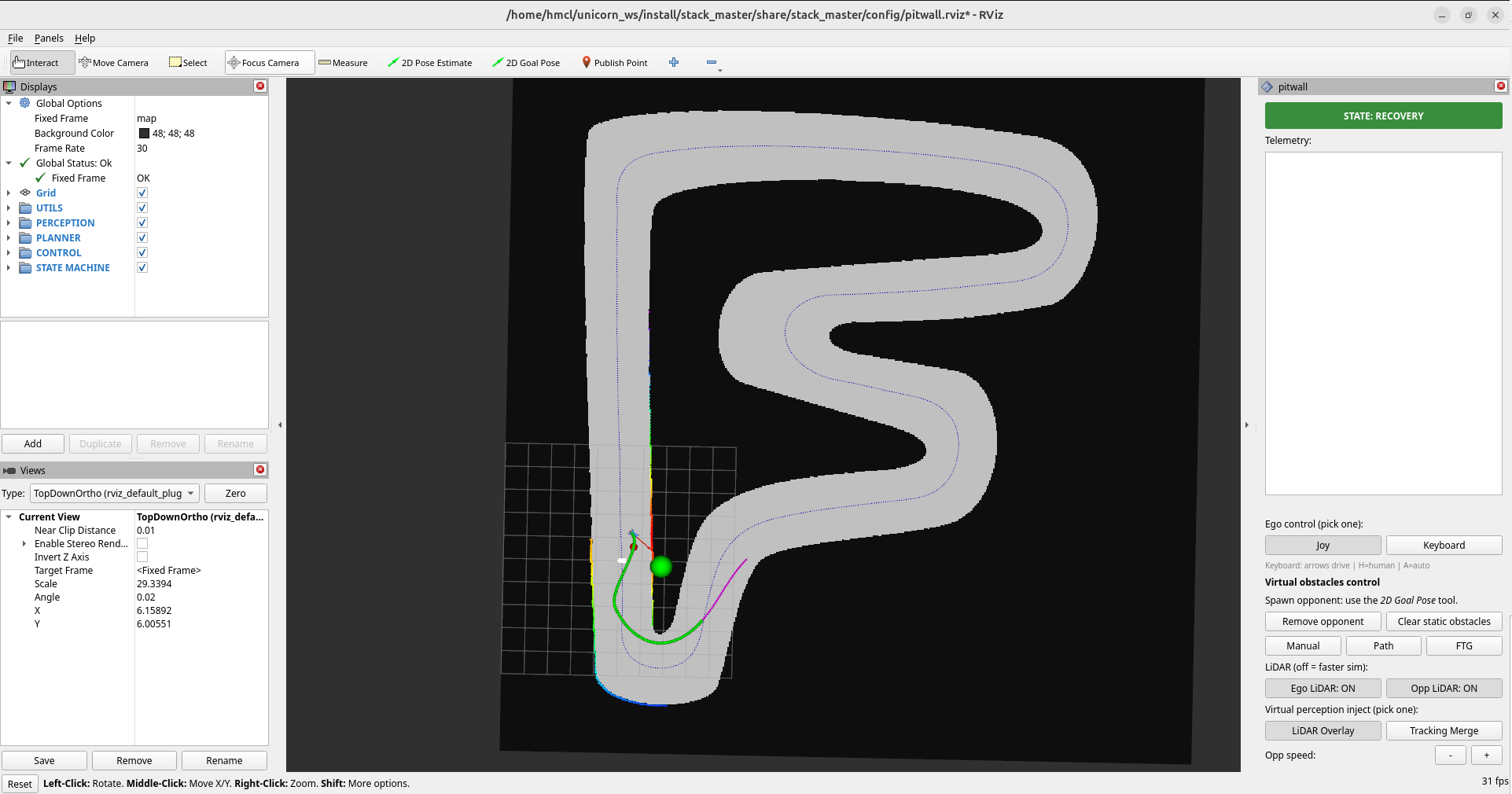
The simulator:
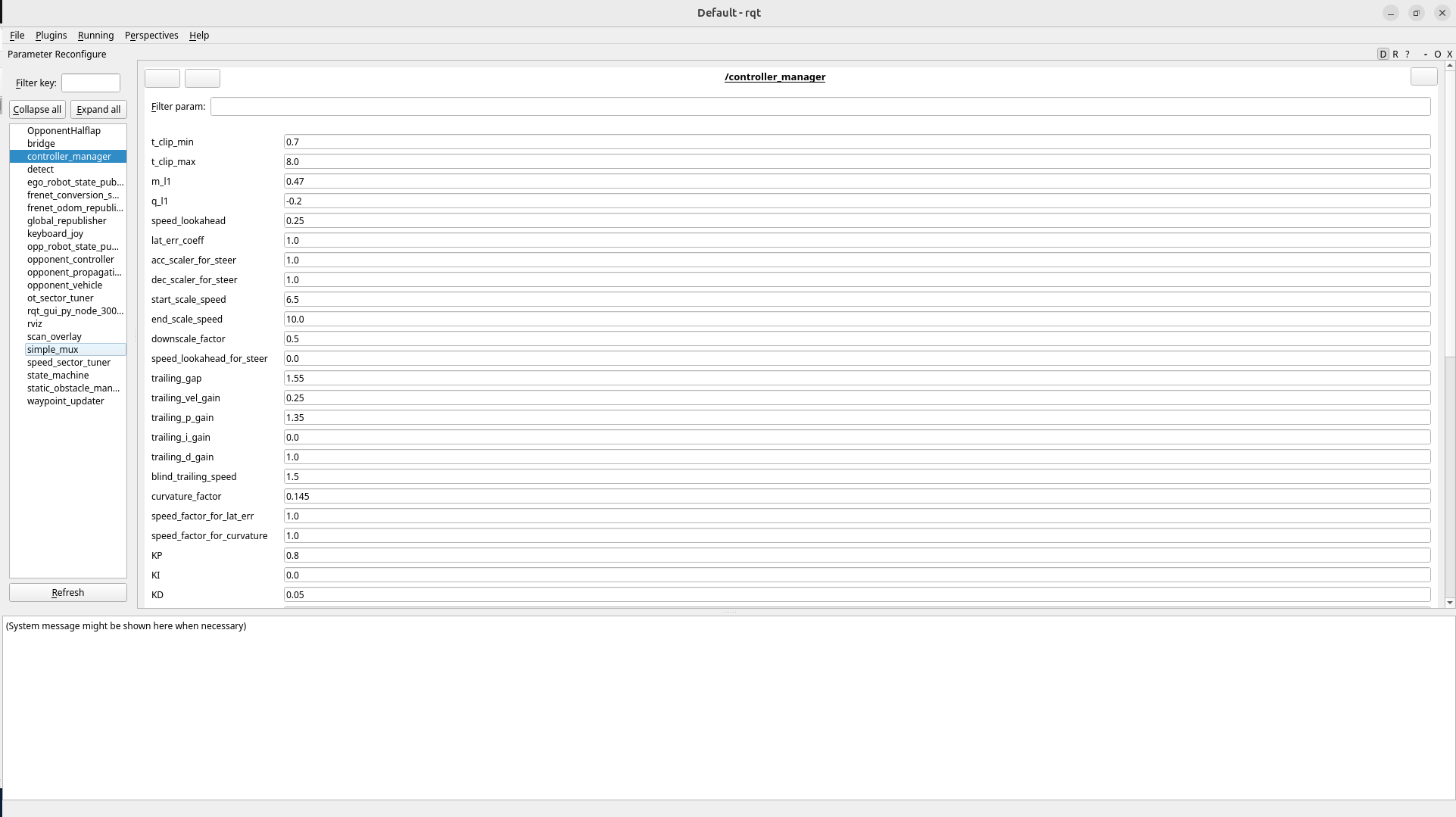
RQT:
Caution: launching RQT outside the
unicornenvironment (or from an unsourced terminal) gives it different DDS settings, so only some nodes — or none at all — will appear. Always start rqt in the same environment as the simulator.
If you started RQT in the right environment but nothing shows, click Plugins → Configuration → Dynamic Reconfigure in the top menu.

2. Live Tuning with RQT (speed_sector_tuner)
Normal driving:
Global_limit: tuning the overall speed (0.5)
Sector_scaling: tuning per-sector speed (sector 1: 0.2)
Sector start & end: tuning the sector ranges
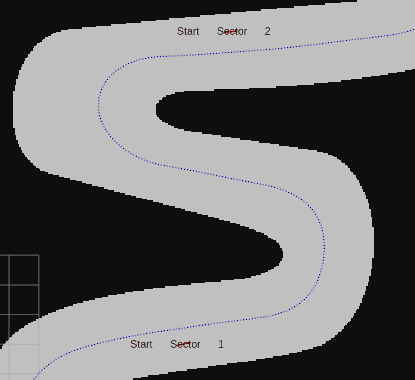 Sector 1 : 101 ~ 271
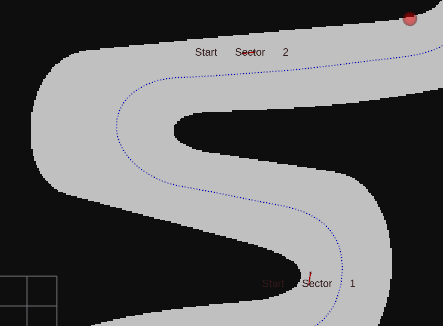 Sector 1 : 150 ~ 271
After Tuning — Saving the Values
Once you find values you like, check the save_params item in RQT (true). The current values are saved to file at that moment and persist the next time you start. (If you don’t check it, the tuned values vanish the moment the car shuts down!)

3. Recommended RQT Tuning Order
- Drive one lap first and identify the problem → pushed wide in corners? floaty on the straight? braking too late?
- Change the parameter the responsible node owns
- One value at a time, 10–20% per step, then drive another lap
- When satisfied, save with the
save_paramscheckbox
One value at a time, in small steps, driving after every change — that is the way. Change several at once and you cannot tell what got better or worse.
Wrap-up
This post covered tuning parameters in real time while driving, without restarting the car, using Dynamic Reconfigure — start rqt in the same unicorn environment as the simulator, adjust speed_sector_tuner’s Global_limit, Sector_scaling, and sector ranges, then persist them with save_params. For how to start the Sim in the first place, see Basic Simulator Usage.