Showing Status with an LED (blink mk3)
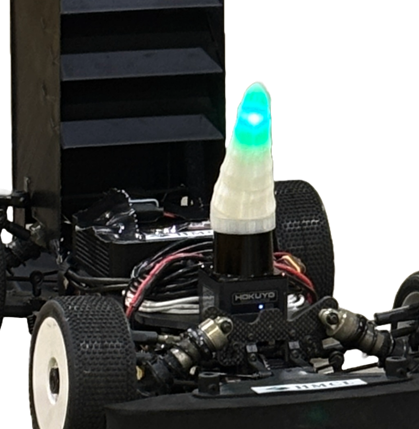
This post outlines several ways to show system status with an LED. We recommend Blink mk3 in the end.
We wanted to place a status LED inside our team horn and looked at the ForzaETH setup, but we needed a simpler path.
Method 1: Use Jetson GPIO
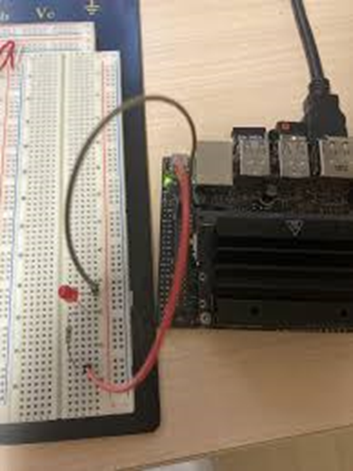
Jetson developer kits can control LEDs via GPIO. However, our main compute unit is a NUC, so there is no GPIO. We needed a USB-based option.
Method 2: Use an Arduino
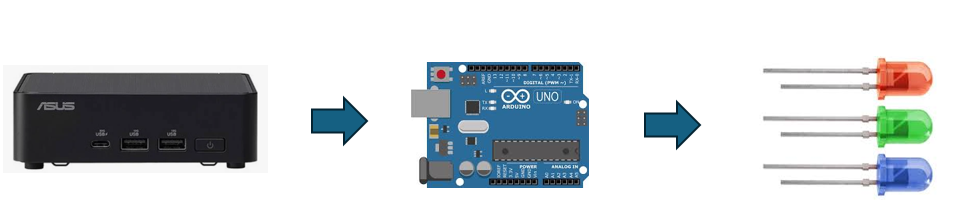
Another option is to connect USB to an Arduino and control the LED from there. ForzaETH is known to use this approach.
We wanted to avoid the added complexity and looked for a USB LED that can be controlled directly.
Method 3: Use blink (our method)
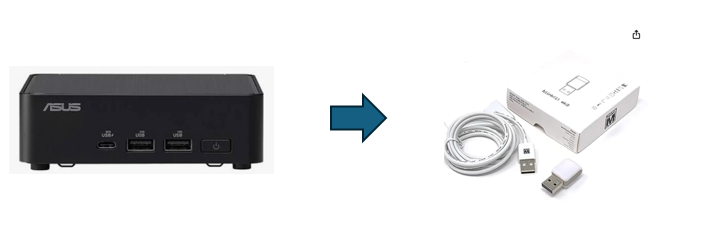
There are many USB LEDs, but few provide a developer API or driver. After testing options, we chose Blink mk3.
Blink also provides a ROS driver, which makes integration straightforward. The horn itself requires a custom 3D printed design.