Localization - Cartographer: A Comparison with the Particle Filter
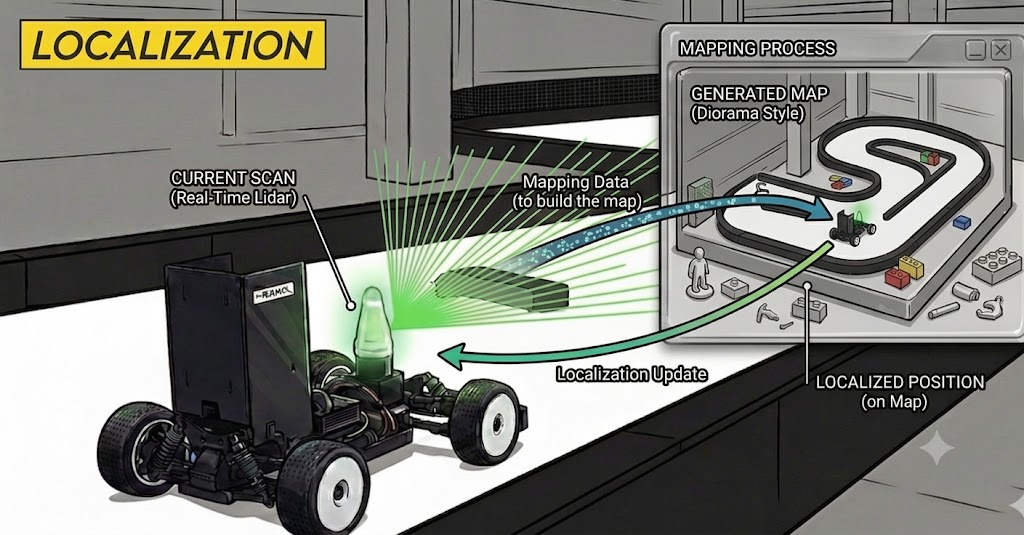
Now let’s look at how to use Cartographer for localization. The concepts, configuration, and UNICORN modifications of Cartographer Pure Localization are covered in the Cartographer Pure Localization Guide, so this post focuses on the intuition behind how it works and a comparison with the Particle Filter.
How Does It Estimate the Current Pose?
Localization with Cartographer is actually not very different from the mapping algorithm. To use an analogy, it’s mapping done by a goldfish with a 3-second memory. It keeps the old memories (the prior map stored in .pbstream) intact, but continues mapping while keeping only the 3 most recent submaps and forgetting the rest.
1
2
3
TRAJECTORY_BUILDER.pure_localization_trimmer = {
  max_submaps_to_keep = 3,
}
Comparison with the Particle Filter
Case 1. At Rest
Particle Filter
Cartographer
Even at rest, the Particle Filter jitters while Cartographer stays stable. You can see the difference in the shakiness of the LiDAR points and in the position.x plot on the right.
Case 2. When the Saved Map Differs from the Real One
During an actual race, for many reasons the points obtained in reality can differ from the saved map.
- Subtle changes over time
- Changes caused by collisions
Particle Filter
Cartographer
Cartographer stays sufficiently stable even in an environment that differs from the saved map, because it keeps doing a bit of mapping even during localization. Whereas the Particle Filter picks the best pose given “the current scan and the given map” alone, Cartographer also considers the link between the current scan and the previous scan, as well as the link to the saved map.
How to use
Start Cartographer localization on a saved map on the real car. Omitting the localization argument defaults to cartographer.
1
ros2 launch stack_master localization.launch.xml map:=<map_name>
It loads <map_name>.pbstream from stack_master/maps/<map_name>/ and performs pure localization; the pose estimate is published as /tracked_pose → EKF → /car_state/odom.
Set the initial pose with RViz’s 2D Pose Estimate — the trajectory restarts at the clicked pose.
Wrap-up
Where you can use it, Cartographer has a higher performance ceiling. However, there are many parameters not covered here, so it can be hard to respond quickly when something goes wrong. So use the provided parameter configuration files, but it’s also wise to keep a Particle Filter ready as a backup.
For the detailed configuration of Cartographer localization (PoseWithCovariance publisher, dynamic initial pose, tuning parameters, etc.), see the Cartographer Pure Localization Guide; for the Particle Filter itself, see the Motion Model and Measurement Model posts.