VESC Firmware Upgrade Guide: Why 6.05 and Two Methods

VESC Firmware Upgrade Guide: Why 6.05 and Two Methods
Firmware upgrades are essential before using a VESC. This guide covers VESC MK6 / MK6 HP and explains why we recommend firmware 6.05, along with two reliable upgrade methods.
Firmware selection: why 6.05?
- Some users have reported sensor detection issues or unexpected bugs in the latest releases.
- For competition or long-running deployments, verified stability matters more.
- The 6.05 release is the most widely used version in the community.
Firmware file selection
Always choose the firmware that matches your exact VESC hardware version.
Recommended files for MK6 / MK6 HP
- MK6: https://github.com/vedderb/vesc_fw_archive/blob/main/6.05/60_MK6/VESC_default.bin
- MK6 HP: https://github.com/vedderb/vesc_fw_archive/blob/main/6.05/60_MK6_HP/VESC_default.bin
Not recommended
VESC_default_no_hw_limits.bindisables hardware protection limits, so it is not recommended for general use.
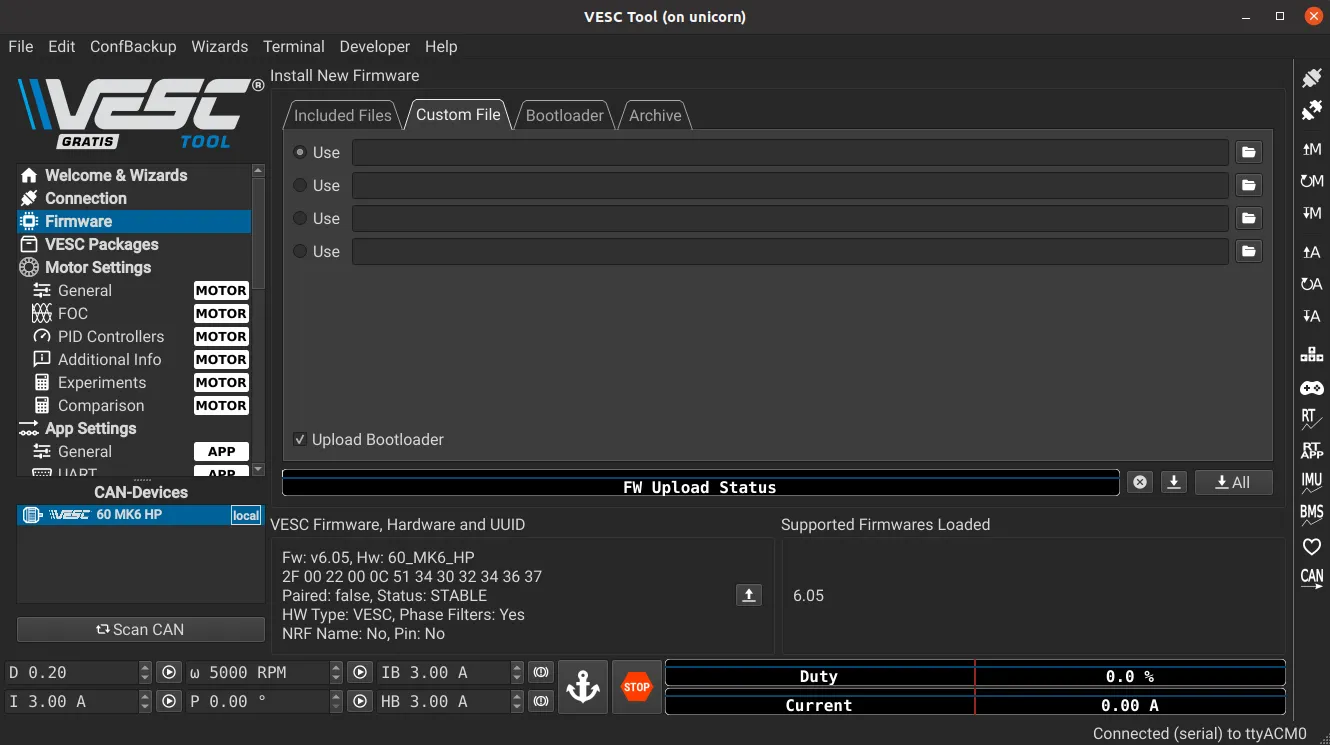
Method 1. Download the firmware file and upload it manually
The official firmware archive is hosted on GitHub.
Steps:
- Download the
.binfile for your hardware. - Open VESC Tool on your PC and connect to the VESC.
- Go to the
Firmwaretab. - Select
Custom File. - Upload the downloaded
.binfile. - The VESC will reboot automatically after upload.
- Reconnect and continue using it.
Method 2. Use VESC Tool Firmware Archive (online)
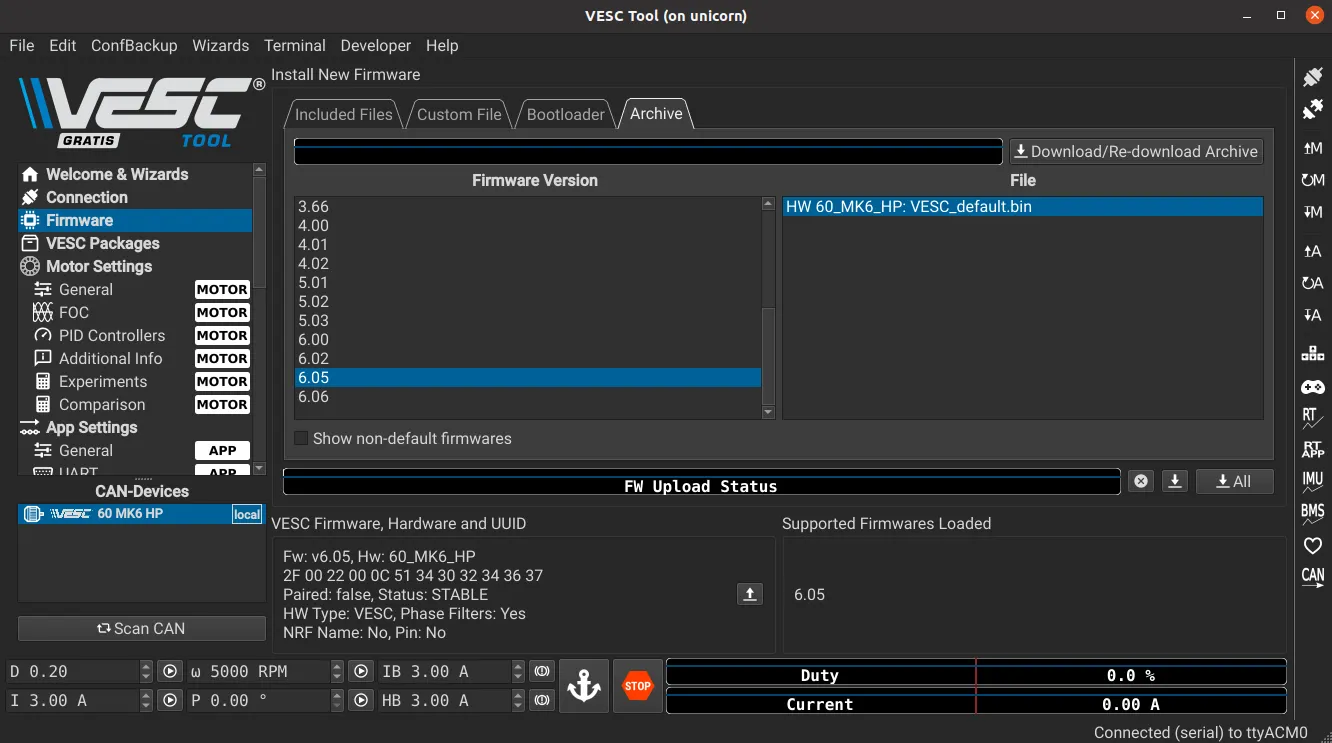
If your PC is online, you can use the built-in Firmware Archive feature in VESC Tool.
- It automatically detects your hardware and matches compatible firmware.
- The default selection is the latest version, so manually switch it to 6.05.
Wrap-up
The newest firmware is not always the most stable. For competition and research platforms, 6.05 remains a reasonable, well-tested choice. After upgrading, re-check motor and sensor settings, as they can be reset during the process.
This post is licensed under CC BY 4.0 by the author.