VESC Tool Basics

This post covers the basic VESC Tool features and the key things to watch out for.
Connect VESC hardware to VESC Tool
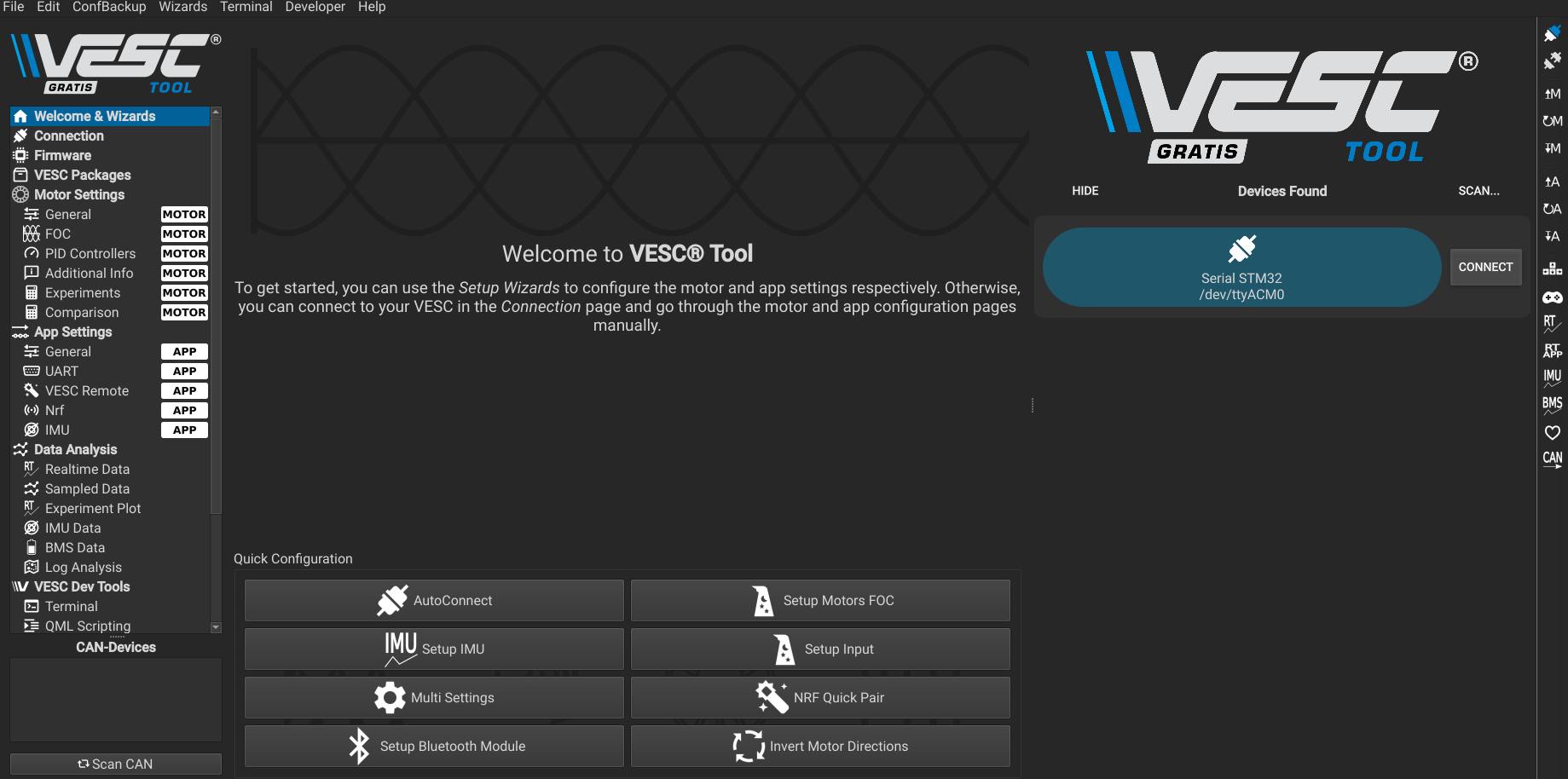
When you connect for the first time, you will see the initial screen shown above.
Fix permission issues
If you get a permission error when clicking Connect, grant port permissions with the command below.
1
2
3
# Replace the port with your own.
# 666 grants read/write permissions (required for reading status and sending control commands).
sudo chmod 666 /dev/ttyACM0
- The same fix applies if you see permission issues in the VESC ROS driver.
- This also works for other USB devices with similar permission errors.
- VESC Tool and the VESC ROS driver cannot be connected at the same time.
You can also set udev rules to grant permissions automatically by reading the VESC port Manufacturer field. This keeps permissions applied after reboot, which is recommended for the computing unit on the race car. See the reference for details.
VESC Tool basics
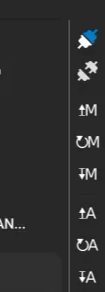
The right tab in VESC Tool includes the following buttons.
- Reconnect last connect
- Nearly the same as connecting from the main page.
- Automatically reconnects the most recently connected device when multiple VESCs are used.
- Disconnect
- Disconnects VESC from VESC Tool.
- Read Motor Configuration
- Reads Motor Settings from VESC → VESC Tool.
- Read Default Motor Configuration
- Resets motor settings to defaults.
- Write Motor Configuration
- Writes Motor Settings from VESC Tool → VESC.
- Read App Configuration
- Reads App Settings from VESC → VESC Tool.
- Read Default App Configuration
- Resets app settings to defaults.
- Write App Configuration
- Writes App Settings from VESC Tool → VESC.
Important notes
- Changes in VESC Tool are not applied until you click
Write. - If you click
Writewithout reading current settings first, you can overwrite them with dummy values. - Always use
Readto confirm current settings before applying changes. - You can save configurations to a file.
- Motor Settings changes motor parameters, and App Settings adjusts Servo output and IMU-related options.
Wrap-up
Once you understand the Read and Write flow, VESC Tool becomes much safer to use. Always read current settings from the VESC before applying changes, and resolve port permission issues first. If needed, set up udev rules for automatic permissions.